 العربية


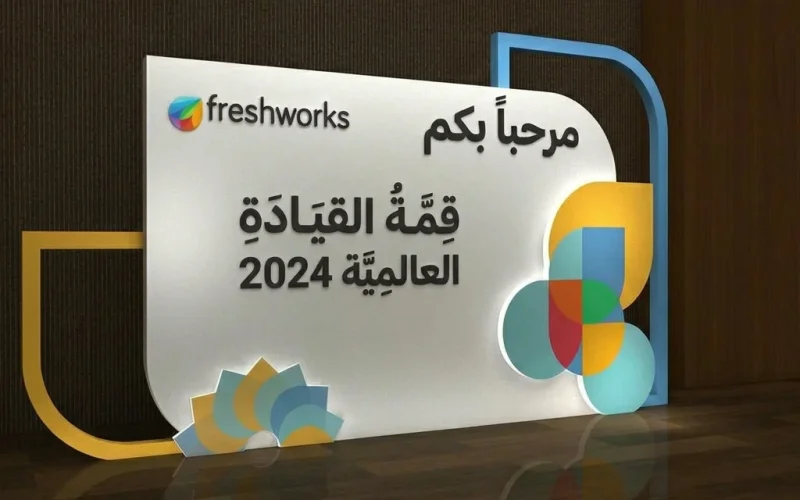
At events, exhibitions, conferences, and product launch parties, it is not enough for the venue to be organized or the service to be excellent, because the first impression is formed visually within seconds. This is where a professional backdrop plays its role, reflecting the brand identity and giving the audience a clear and cohesive image of the organizing entity. This element is not just a background placed behind the stage or photo point; it is a communication space that carries the message, supports visual presence, and helps anchor the brand in the customer’s mind.
The importance of this type of design lies in its ability to combine aesthetics and function. It introduces the audience to the brand, creates a suitable environment for photography, gives visual content a more professional look, and increases the value of the event itself. However, the problem many companies face is treating the promotional backdrop as merely a decorative piece, resulting in a cluttered outcome, weak consistency with the identity, or poor suitability for the nature of the venue and audience.
Because the success of any visual design begins with understanding the identity rather than choosing colors randomly, achieving a professional result requires clear and thoughtful steps. In this article, we review a practical six-stage approach that helps you execute a balanced, attractive, and easy-to-read design, with a focus on aspects that matter to Arab audiences and support visibility in search engines. You will also find practical tables that help you make accurate decisions before execution, printing, and installation.
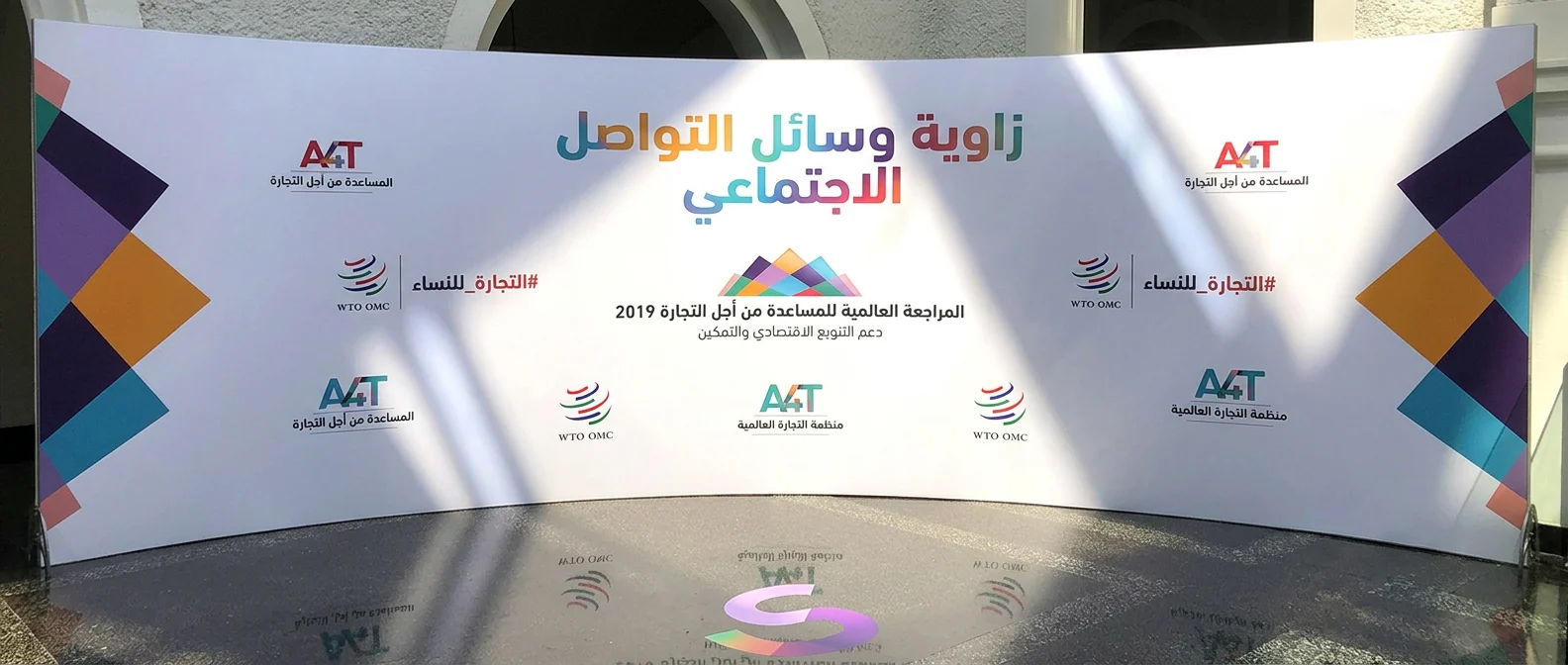
Step One: Define the Goal of the Backdrop Before Starting the Design
The first question to ask before choosing dimensions, colors, or visual elements is: what is the purpose of this design? Will it be used behind a speakers’ stage? Is it intended for photography? Is the goal to highlight the logo only, support a marketing campaign, or unify the visual scene in an exhibition booth?
A clear objective saves a great deal of time and prevents common mistakes. When the use is intended for photography, priority is given to distributing the elements in a way that does not hide faces or create visual noise in photos. If it is for a conference, then message clarity from a distance becomes more important than too many details. If it is intended for a commercial event or product launch, it should serve the main marketing message and reflect the brand personality.
At this stage, it is better to write a brief project summary that includes: the type of occasion, target audience, installation location, duration of use, key message, and expected success outcomes. This step helps both the designer and the project owner work according to a clear reference instead of relying only on personal taste.
Goal-Setting Table for the Design
| Element | Question to Answer | Impact on the Design Decision |
|---|---|---|
| Type of Event | Is it a conference, exhibition, party, or photo campaign? | Determines the general style and density of elements |
| Target Audience | Who will see the design? | Affects language, simplicity, and how the message is presented |
| Viewing Distance | Will the audience be near or far? | Determines font and element sizes |
| Backdrop Function | Photography, brand introduction, or presentation support? | Determines the priority of the logo or messages |
| Duration of Use | Temporary or repeated use? | Affects the material and print quality |
The more precisely the goal is defined, the more professional and consistent the result will be with the project’s identity.
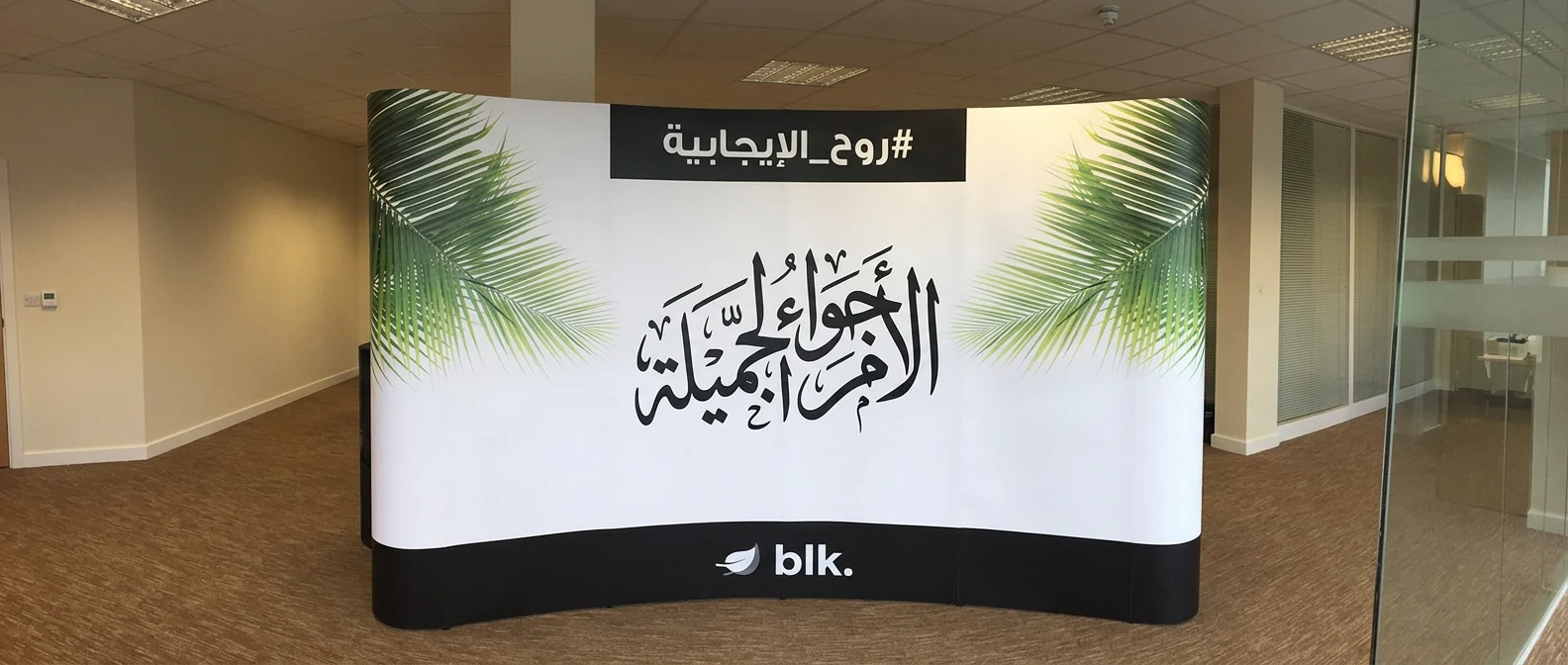
Step Two: Link the Backdrop to the Core Visual Identity Elements
Visual identity is not just a logo. It is a complete system that includes colors, fonts, image style, white space, icons, and the brand’s tone of communication. Therefore, it is impossible to build a successful promotional backdrop without referring to the brand guidelines, or at least to the visually approved elements.
Start by identifying the primary and secondary colors. It is a mistake to use all brand colors at once. It is better to choose one dominant primary color, with one or two supporting colors at most. This keeps the scene organized and easy to read. Then come the fonts; they must align with the fonts approved in other marketing materials so harmony appears between the stage, printed materials, and digital content.
It is also important to consider the brand personality. A formal or governmental brand requires simplicity, dignity, and clarity. A youthful or creative brand may allow more boldness in composition, provided it does not lose clarity. The goal here is not to copy previous designs, but to translate the identity into a large-format space in a practical and readable way.
When linking the design to the identity, ask yourself: can a viewer recognize the event owner just by looking at the backdrop, even before reading the full name? If the answer is yes, then you are on the right track.

Step Three: Choose the Backdrop Size to Suit the Venue and Viewing Angles
The success of the design does not depend on beauty alone, but on its actual suitability for the venue. A design may look excellent on screen, yet fail in print because the size is inappropriate or because elements are placed in areas that are not visible. Therefore, the site study stage is an essential part of the process.
Start by accurately measuring the available width and height, then determine the main viewing points: where will the audience enter from? Where will the cameras stand? Is there strong backlighting? Are there columns, screens, or equipment that may block parts of the backdrop? These small details make a major difference in the final result.
You should also pay attention to the “safe zones,” which are areas where no important text or main logo should be placed, especially if people may stand in front of the design or if some edges may be cropped during installation. The more visually crowded the venue is, the more important simplicity and focus on essential elements become.
Table to Help Choose the Right Size
| Venue Space | Best-Suited Use | General Recommendation |
|---|---|---|
| Small | Photo point or reception area | Reduce text and focus on the logo |
| Medium | Indoor stage or limited event | Balanced distribution between identity and message |
| Large | Conference, exhibition, or product launch | Enlarge the key elements and increase contrast |
| Outdoor | Open-air events | Use large fonts and durable materials |
| Multi-angle | Photography and continuous movement | Create a flexible and clear design from more than one direction |
This stage prevents many later problems, such as small text, hidden important elements, or weak balance when viewed from different distances.
Step Four: Organize the Backdrop Content Clearly and Without Clutter
One of the most common mistakes is trying to put everything into one space: the logo, message, sponsors, social accounts, website, contact number, product photos, and sometimes more than one sub-logo. The result is often a design that tires the eye and has weak impact.
The principle in promotional backdrops is smart brevity. The designer must know what should appear first and what can be minimized or omitted. There is a logical visual hierarchy that is recommended: the brand first, the main message second, then supporting elements. Secondary details can be moved to other materials such as brochures, screens, or side corners.
It is also preferable to use thoughtfully planned empty space, because empty space is not a lack in the design, but a tool that gives important elements greater value. When elements have room to breathe within the space, reading becomes easier, photography becomes better, and the overall impression becomes more refined.
Practical Checklist for Organizing Content
- Make the main message short and direct.
- Place the logo in a clear and balanced position.
- Reduce the number of fonts used.
- Avoid overcrowded decorations and heavy backgrounds.
- Do not repeat the same information in more than one wording.
- Test the design visually from a distance before approving it.
The more concise and organized the content is, the greater the chance of audience engagement, especially in fast-paced environments such as exhibitions and events.
Step Five: Test the Backdrop for Print and Lighting Before Final Execution
A good design on screen is not a guarantee of success after execution. The difference between digital display colors and print colors can be significant, and site lighting may greatly change the final appearance. Therefore, the testing stage should be treated as a necessity, not a luxury.
Start by reviewing the file resolution, actual dimensions, and trim margins, then make sure that images or graphic elements are of sufficient quality if they are used. After that, request a print sample or a scaled mock-up, especially if the project is important or has a high budget. This simple step may reveal a problem in color, contrast, or font thickness before it is too late.
It is also important to think about lighting. Some dark colors look luxurious in the design, but they may lose clarity in dimly lit halls. Some materials reflect light strongly and negatively affect photography. Therefore, coordination between the designer, the print shop, and the field execution team saves a great deal of costly revisions.
Pre-Print Review Table
| Review Item | Why Is It Important? | Expected Result |
|---|---|---|
| File Resolution | Prevents blurring and stretching | Sharp and professional appearance |
| Colors | Ensures closeness to the original identity | Better visual consistency |
| Font Size | Makes reading easier from a distance | Greater clarity |
| Trim Margins | Prevent the loss of important elements | Safer execution |
| Material | Affects reflection and durability | Better real-world quality |
This step is the dividing line between an acceptable design and a truly professional result.
Step Six: Evaluate the Backdrop After Use to Improve Future Versions
Many organizations end their relationship with the design at the moment of installation, while more professional entities consider execution the beginning of the evaluation stage. After the event ends, collect feedback from the marketing team, organizers, photographers, and even the audience if possible. Ask: Did the logo appear clearly in photos? Was the message readable? Did the backdrop look consistent with the rest of the visual elements? Did it need to be simplified further?
You can also review the photos and videos captured during the event to assess how the design performed in real life. Sometimes the team discovers that a certain element was highly successful and worth repeating, or that a certain area was visually crowded and needs adjustment. This evaluation builds cumulative experience that makes future projects faster, more accurate, and more efficient.
It is also useful to create a fixed internal form to evaluate every visual project after execution. This way, improvement does not remain random, but becomes a continuous process that supports output quality and unifies the brand standard across all occasions.
Common Mistakes to Avoid When Designing a Promotional Background
There are several recurring mistakes that directly affect the quality of the outcome, most notably:
- Using too many colors without necessity.
- Making the logo too small or excessively large.
- Placing long text that is hard to read quickly.
- Ignoring the nature of the venue and lighting.
- Relying on visual effects that weaken the professional tone.
- Forgetting to test the design in different photography scenarios.
Professionalism does not mean complexity; it means making thoughtful decisions that serve both the goal and the identity at the same time.
Conclusion: How to Make a Backdrop a Smart Tool That Reflects Your Brand?
Success in this type of design is not achieved simply by choosing an attractive look, but through understanding the message, adhering to the identity, studying the venue, organizing the content, and testing the execution carefully. When the process is built on clear steps, the backdrop transforms from a secondary element into a powerful tool that supports the first impression, strengthens brand presence, and gives the audience a cohesive visual experience.