 العربية



Introduction: When you decide to create a storefront sign with 3D letters, you’re not just buying a nice-looking design; you’re investing in clearer visibility, readable branding from different distances, and a more professional impression for customers. Success depends on precision: accurate measurements, balanced mounting, and safe electrical wiring if the letters are illuminated. In this guide, you’ll learn the fundamentals of raised letter installation in a practical way, with tables to help you choose the right spacing and hardware, plus a checklist to deliver a clean and safe final result.
Before Raised Letter Installation: Planning and Measuring the Facade
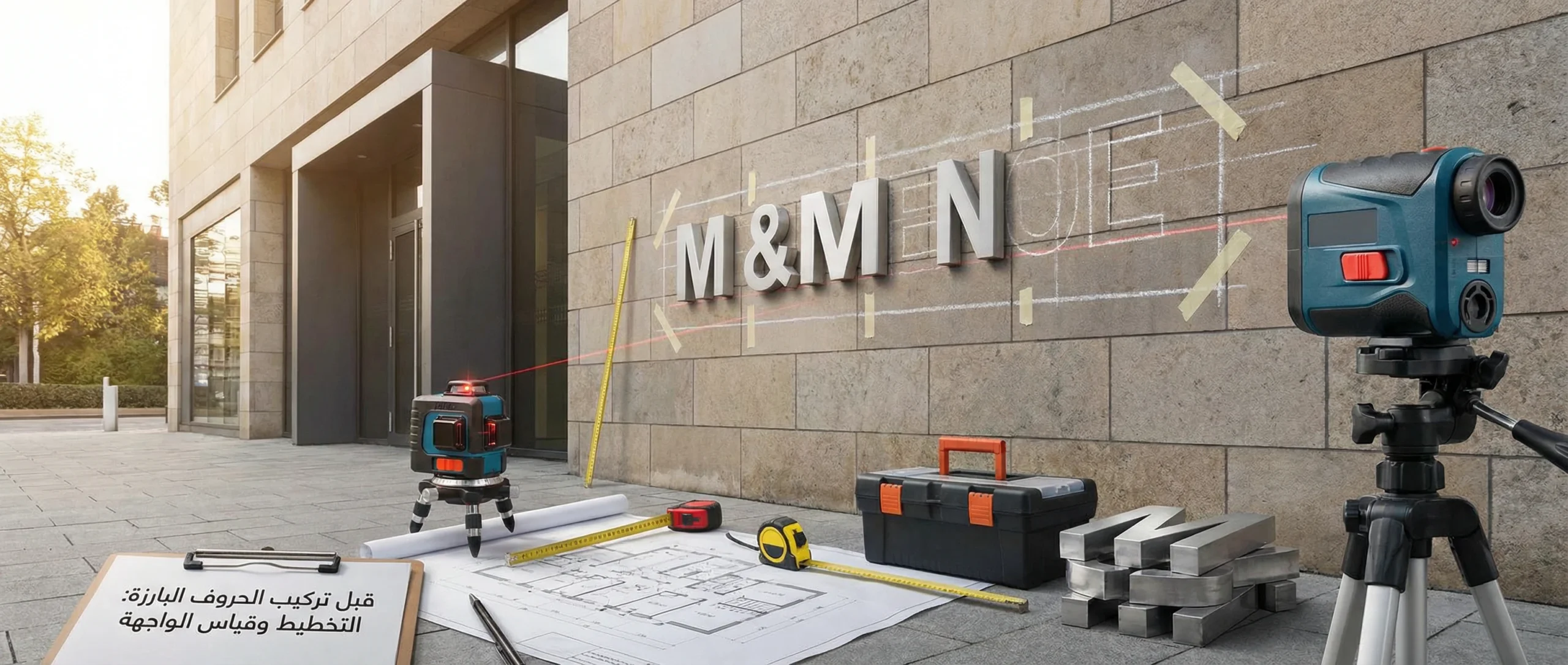
The first step is understanding the surface that will receive the letters: is it aluminum cladding, concrete, glass, or treated wood? Each surface requires a different mounting method (screws with wall plugs, anchor bolts, specialized adhesives, or interlocking fasteners). You also need to define the viewing context: from which direction do most people approach? What’s the average eye level? Are there obstacles such as columns or awnings?
Start with a simple sketch that defines:
- The facade centerline and the baseline the letters will sit on.
- Spacing between words and the margin distance from the facade edges.
- The power supply (transformer) location if the letters are illuminated, and the nearest safe power point.
- Permitted drilling points away from old wiring routes or pipes inside the wall.
It’s also important to plan raised letter installation around weather conditions. Outdoor work should be done in the driest conditions possible, because moisture affects adhesives and sealing—and increases the risk of water intrusion into wiring.
Before finalizing sizes, pay attention to two factors that influence readability and cost together:
- Letter depth: Greater depth creates a nicer shadow effect, but may require more mounting points and increases the load on the surface.
- Optical spacing (kerning): Some letters look closer even when the numeric gap is equal, so spacing must be visually adjusted to keep the overall layout balanced.
Table 1: Facade Inspection Before Installation
| Inspection Item | Why It Matters | What to Check |
|---|---|---|
| Surface type | Determines mounting hardware and materials | Cladding / concrete / glass / wood |
| Facade levelness | Prevents letters from tilting | Waves, angles, joints |
| Obstruction locations | Avoids breaking the layout | Columns, cameras, old signage |
| Power source | Shortens cable runs | Nearby point, protected by a breaker |
| Rain/sun exposure | Helps select sealing and IP rating | Direct splash, harsh sun, humidity |
Steps for Raised Letter Installation on the Facade
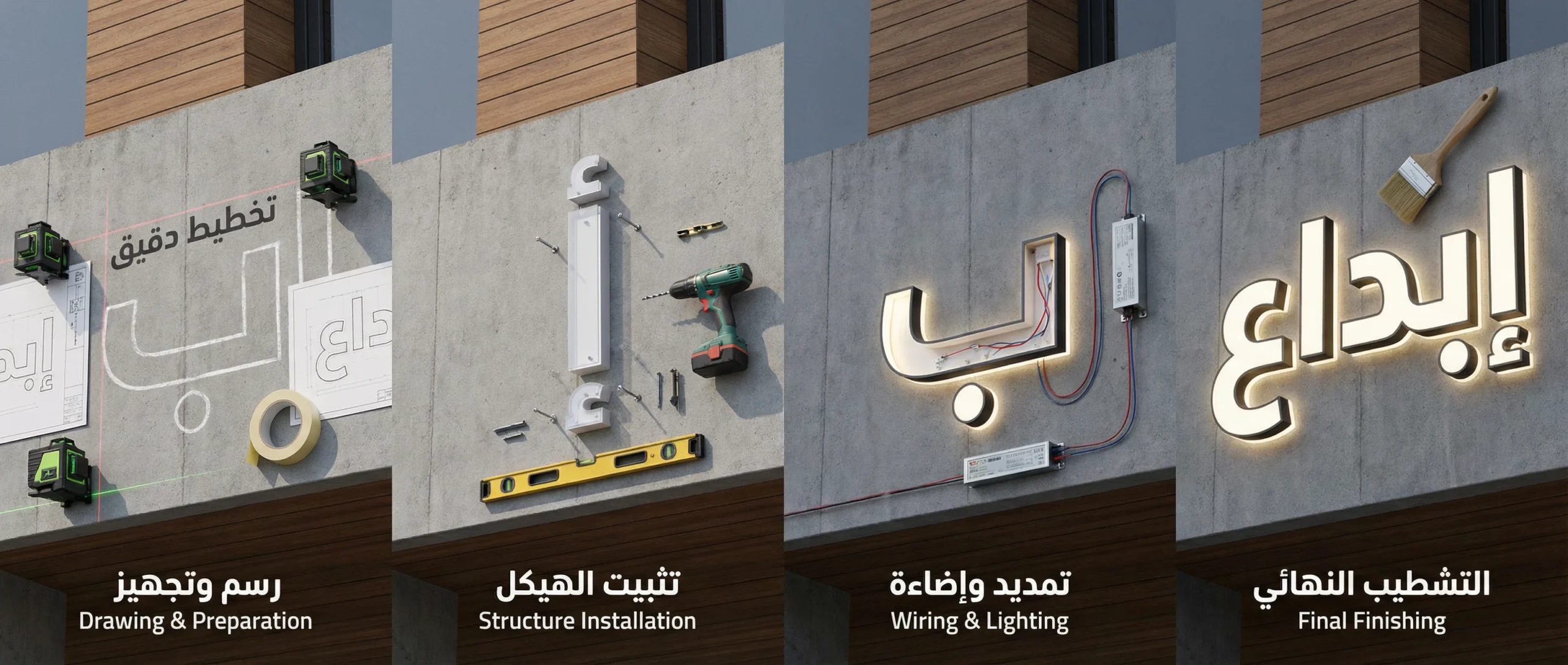
These steps apply to most acrylic, stainless-steel, or PVC letters—illuminated or non-illuminated. The core idea is simple: solid mechanical fixing + precise alignment + organized and protected wiring.
1) Preparing the Template and Setting Alignment
The best way to achieve professional alignment is to use a full-size printed template (cardboard or a temporary vinyl sticker). Place the template on the facade after establishing the centerline with a spirit level or laser, then secure it with paper masking tape while ensuring correct spacing between letters and words.
Practical tip: before drilling, step back 5–10 meters and view the facade the way a customer would. Many mistakes only become obvious from a distance.
2) Determining Mounting Spacing and Edge Clearance
Each letter needs a different number of mounting points depending on its size and weight. The general rule: the taller the letter (or the more hollow and illuminated it is), the more mounting points you’ll need—while avoiding placing any point too close to the letter edge to prevent acrylic cracking or stainless-steel deformation.
This is where raised letter installation becomes a small engineering task: don’t rely on “eyeballing” alone—use balanced point distribution and consistent measurements for similar letters.
Table 2: Quick Recommendations for Mounting Spacing
| Letter Height | Suggested Mounting Points per Letter | Spacing Between Mounting Points (inside the letter) | Safe Distance from Letter Edge |
|---|---|---|---|
| 20–30 cm | 2–3 | 12–18 cm | 2 cm |
| 30–50 cm | 3–5 | 15–22 cm | 2.5 cm |
| 50–80 cm | 5–7 | 18–28 cm | 3 cm |
| 80–120 cm | 7–10 | 22–35 cm | 3–4 cm |
3) Drilling and Installing Screws or Mounting Bases
After confirming the template, start drilling at the marked points. Use the correct drill bit for the surface (concrete/metal/wood). For concrete, use quality wall plugs with stainless screws for corrosion resistance. For cladding, you may need special fasteners or an internal frame to prevent the thin metal from loosening.
If the facade is smooth glass or stone and drilling is not possible, heavy-duty adhesive solutions with specialized bases can be used—but only after thorough surface cleaning (removing oils and dust) and respecting the recommended curing time before loading any weight. On sensitive projects, combining a high-strength adhesive with a hidden mechanical fixing (where possible) is often best.
When using stand-offs for halo letters or designs that require a rear gap, ensure all stand-offs have the same length so letters sit at a consistent depth. Also, maintain sufficient rear clearance for airflow and reduced moisture buildup—especially in coastal or high-condensation environments.
4) Mounting the Letters and Fine-Tuning Level
Install letters gradually from the center outward. After mounting each word, re-check its distance from the reference line. If you notice a letter “leaning,” stop and correct it immediately—small tilt becomes very noticeable when combined with the rest of the
letters.
At this exact stage, the difference between basic and professional raised letter installation becomes clear: professional work maintains a single visual baseline and preserves equal-looking spacing between optically tight characters—rather than relying on numeric gaps only.
(See more about raised letters.)
5) Electrical Wiring for Illuminated Letters
If the letters are illuminated (front-lit or back-lit), they typically run on low voltage through a transformer (12V or 24V). Never route high voltage inside or behind the letters without a qualified specialist. Keep the wiring path organized inside a conduit or protective hose, avoid exposed junction points, and use waterproof connectors when needed—especially for outdoor facades.
For balanced light distribution, don’t connect too many letters on a single long run. Divide the load into groups and keep a power headroom so the transformer doesn’t operate at maximum capacity. It’s also helpful to add a small label inside the protective box showing group divisions and cable directions to simplify future maintenance.
Table 3: Estimating Power Supply Capacity and Load Distribution
| Lighting Type | Average Consumption per Letter (approx.) | Grouping Recommendation | Power-Supply Safety Margin |
|---|---|---|---|
| Front-lit LED | 3–8 W | Groups of 3–6 letters | 20–30% |
| Backlit Halo | 4–10 W | Groups of 2–5 letters | 25–35% |
| Internal strip (channel letters) | 6–15 W | Groups of 2–4 letters | 30–40% |
6) Testing and Initial Power-On
Before closing any covers or completing sealing, test the lighting for 10–15 minutes. Check: are any letters noticeably dimmer? Is there flickering? Is the transformer getting hotter than normal? Early testing saves you from difficult disassembly later.
7) Sealing, Cleaning, and Handover
For outdoor facades, apply suitable sealant around cable entry points and any openings that could allow water intrusion. Then remove template residue, and clean the letters using products that won’t scratch acrylic or leave marks on stainless steel.
Electrical Wiring: A Practical Quick Guide
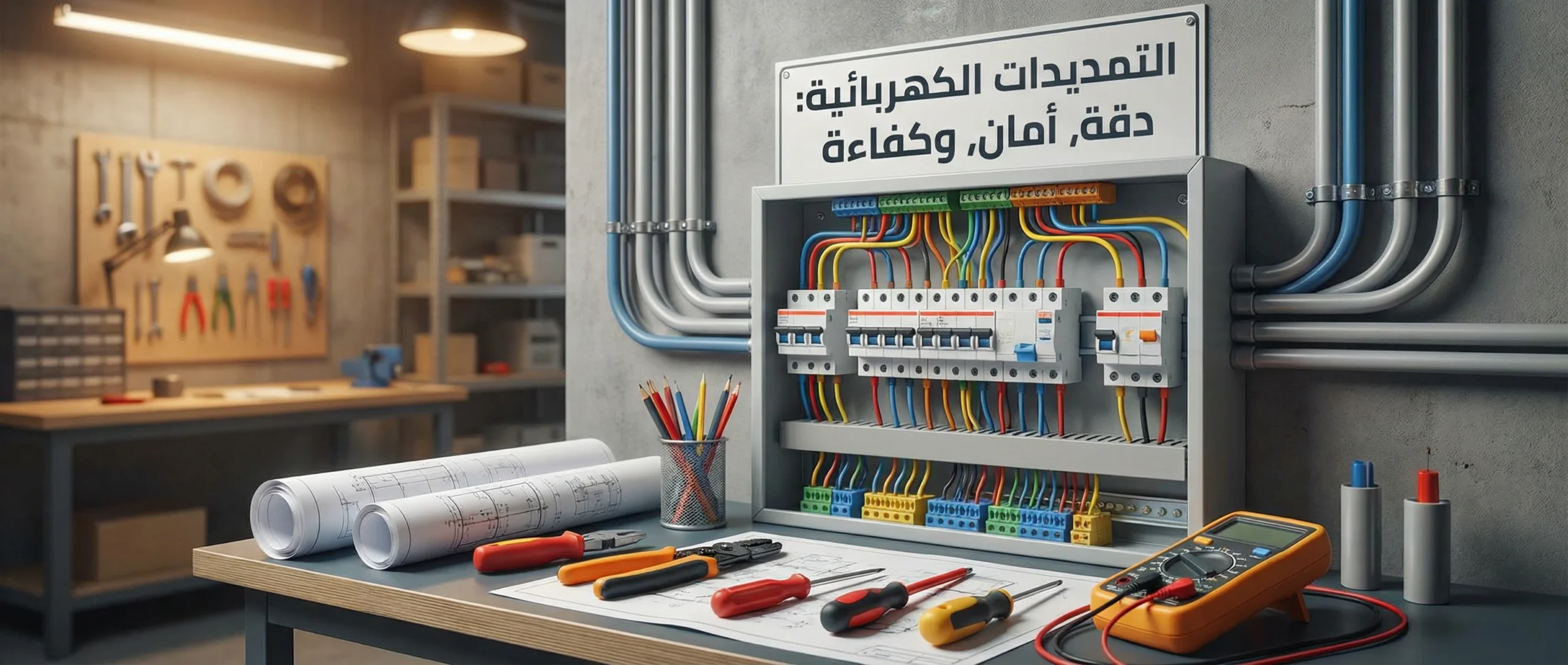
Follow a “low voltage first” approach for illuminated letters. Choose a certified transformer, place it in a well-ventilated location away from water leakage, and ideally inside a protective enclosure. In humid environments, choose components with a suitable IP rating (such as IP65 or higher depending on direct exposure).
Table 4: Choosing the IP Rating by Installation Location
| Letter Location | Exposure Level | Recommended Protection Rating (guideline) |
|---|---|---|
| Fully indoor | Light dust | IP20–IP44 |
| Under an outdoor canopy | Indirect splash | IP54–IP65 |
| Fully exposed facade | Direct rain and dust | IP65–IP67 |
Key points to reduce failures:
- Don’t run excessively long cable lengths without calculating voltage drop; longer runs can dim the end of the line.
- Use a wire gauge appropriate to the load to prevent overheating.
- Keep each letter group on a separate circuit where possible to simplify maintenance.
Electrical Safety and Compliance
Safety is not optional; it’s a delivery requirement. Any work on 220V/110V must be performed by a qualified electrician—especially when connecting to breakers or adding residual-current protection (RCD). For low-voltage systems, make sure to:
- Insulate connections properly and never leave exposed copper.
- Secure wiring away from sharp metal edges.
- Ensure there is no tension or compression on cables during letter mounting.
- Test operation after the first rainfall and re-check any potential leakage points.
Even for non-illuminated raised letter installation, pay attention to safety while drilling: wear safety goggles and gloves, use a stable scaffold or ladder, and avoid working alone at height. If the facade faces a busy street, place warning tape below the work area to prevent pedestrians from passing directly underneath.
Common Mistakes and How to Avoid Them
- Measuring only once: re-check measurements before and after drilling.
- Ignoring facade unevenness: use stand-offs or spacers to compensate for waves.
- Using an undersized transformer: leads to dim lighting, overheating, and early failure.
- Leaving wiring messy: complicates maintenance and increases damage risk.
- Neglecting margins around the layout: makes the design feel cramped and reduces readability.
Pre-Handover Checklist
- Confirm template alignment and baseline accuracy (no visible tilt).
- Verify each letter is firmly mounted with no wobble on light touch.
- Inspect all screws/wall plugs and ensure there are no gaps.
- Test lighting for sufficient time and watch for unevenness or flicker.
- Ensure wiring is protected inside conduit/hose with no exposed joints.
- Document the transformer location and power feed point for easier future maintenance.
- Ensure the facade is clean and free of adhesive residue.
- Review sealing points against water around openings.
- Hand over brief maintenance instructions and warn against tampering with electrical parts.
- Approve raised letter installation as the final step only after all safety checks pass.
Conclusion
A successful facade looks “effortless” to the customer, but it’s actually the result of precise steps: planning, templating, calculated mounting spacing, organized wiring, and clear safety testing. When you follow these fundamentals, you’ll achieve a cleaner look, longer letter lifespan, and fewer maintenance issues. Most importantly, raised letter installation becomes a long-term investment that supports your brand for years—rather than a source of recurring complaints and repairs.