 العربية


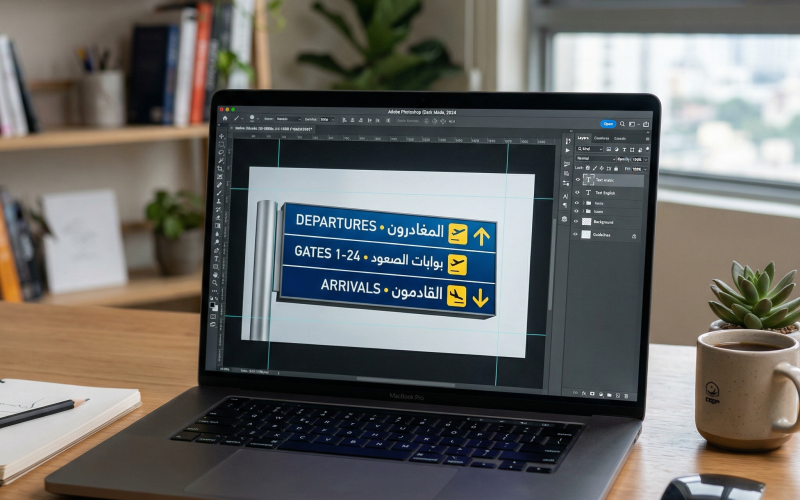
In any store, educational institution, hospital, event, or even a large residential building, wayfinding signs are a critical part of the visitor experience. They are not just “signs”; they are tools for guidance, reassurance, and trust-building—and they directly shape how people perceive the quality and professionalism of a place. As competition over small details becomes part of the bigger brand picture, signage design needs a clear method that balances aesthetics, clarity, durability, and production cost.
Here you’ll learn five practical tips you can apply immediately, with tables that help you make better decisions about materials, sizes, and review checkpoints before printing or installation. At the end, you’ll also find a way to connect these guidelines with designing a brochure for a product or service so you can build a consistent campaign that serves both marketing and operational goals at the same time.
Suggested SEO Title: 5 Tips for Designing Professional Wayfinding Signs That Improve Clarity and Strengthen Brand Identity
Suggested Meta Description: A practical Arabic guide to designing clear, readable wayfinding signs—with tables for materials, sizes, testing steps, and how to connect them to a product or service brochure.
1) Define the goal, the audience, and the movement path
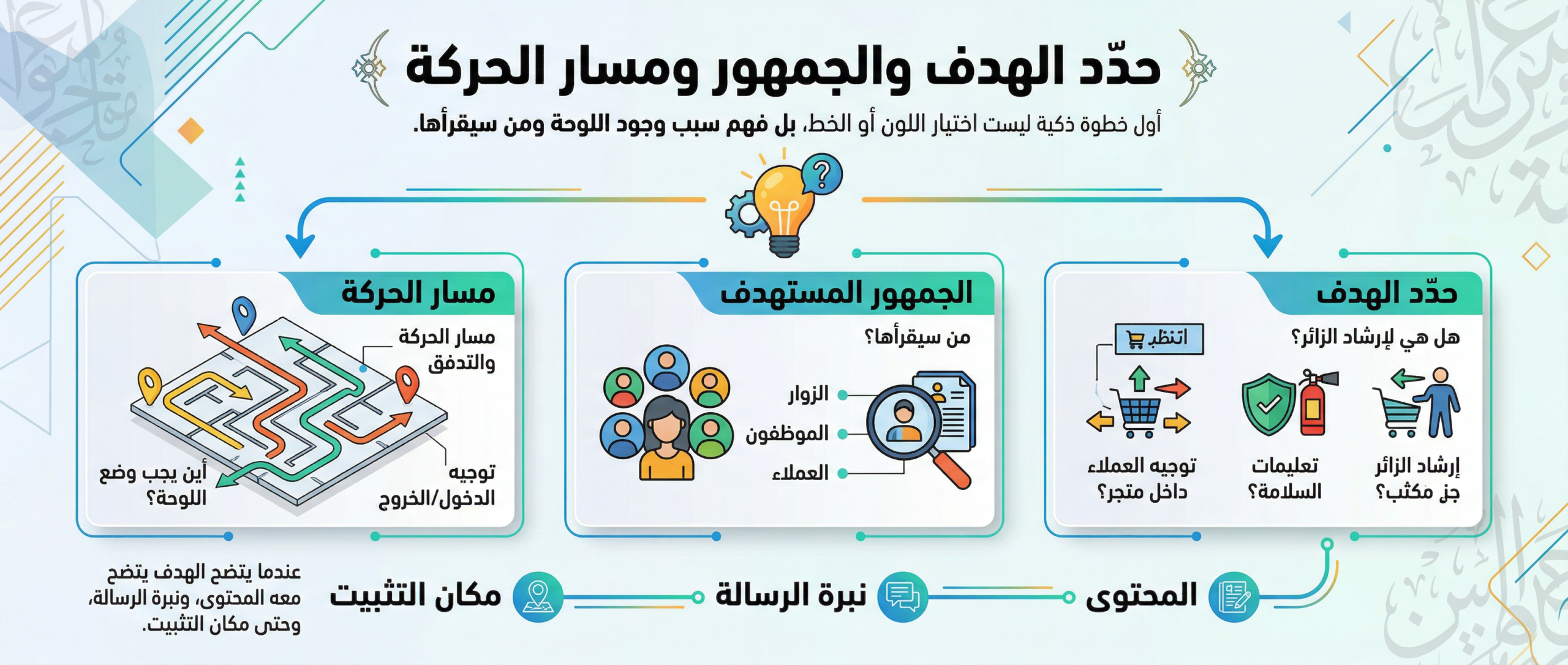
The smartest first step is not choosing a color or a font—it’s understanding why the sign exists and who will read it. Ask yourself: Is it to guide a visitor to the nearest office? To explain safety instructions? To direct customers inside a store? When the goal is clear, the content becomes clearer—along with the tone of the message and even the best mounting location.
Why start with the goal of wayfinding signage?
When the goal is specific, you avoid common mistakes like too much text, placing the sign where no one sees it, or using language that doesn’t match the audience. To apply this practically:
- Draw a simple map of the visitor’s path from the entrance to their destination.
- Identify the “confusion points” where the same questions keep coming up.
- Make each sign answer just one question whenever possible.
- Prioritize clarity: successful
wayfinding signs
are read in seconds—not minutes.
Important note: Different audiences require different content styles. A hospital audience needs calm, direct language, while a trade show audience may need a shorter, more engaging approach. The needs of older adults and people with visual impairments also vary—so consider font size, color contrast, and avoid small, tightly spaced text.
Where should signs be installed to reduce questions?
The golden rule: install the sign before the decision point, not after it. In other words, place guidance before the intersection, elevator, or department door so the visitor can make the right choice without turning and coming back. Also keep the sign at an eye-level height, and make sure columns, décor, or visual clutter (ads, screens, posters) don’t block it.
2) Choose colors and fonts that improve readability and support the brand
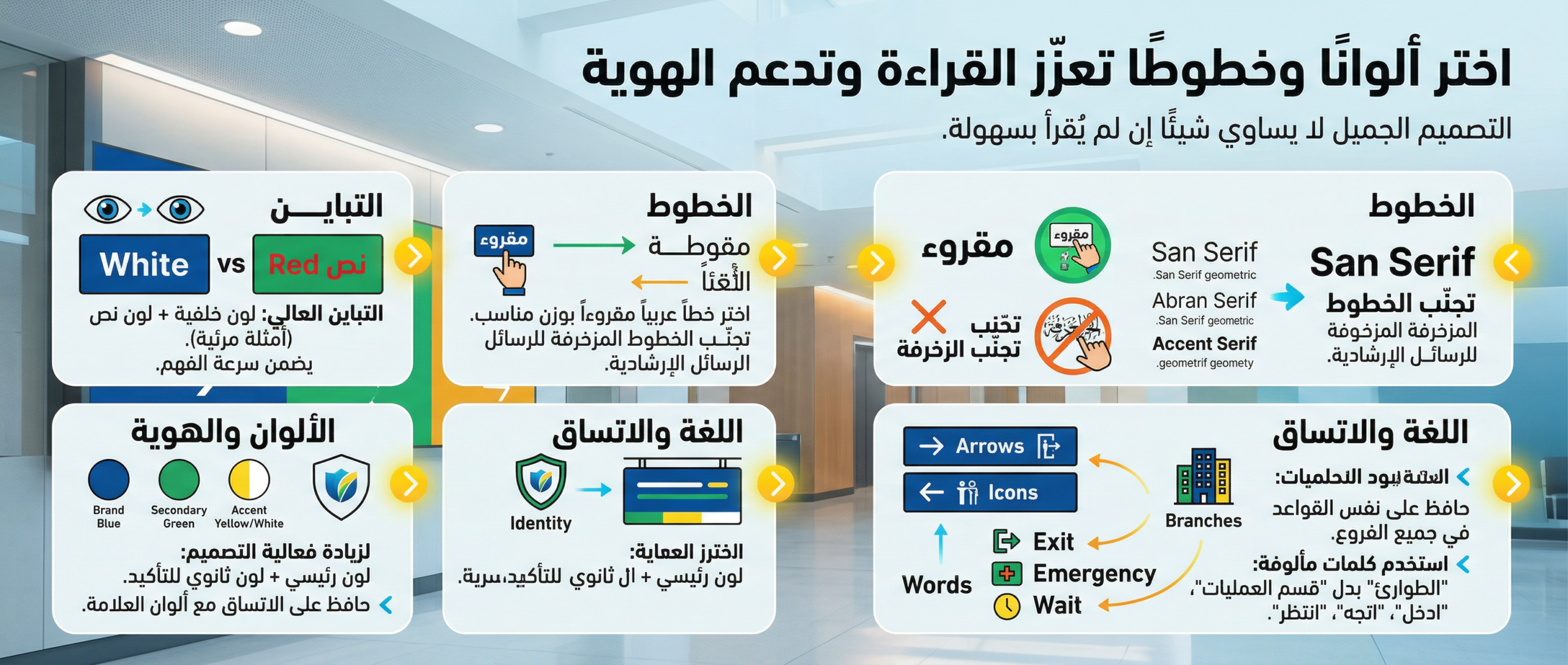
Beautiful design means nothing if it can’t be read easily. Color and font are essential to fast understanding from a distance and under different lighting conditions. This is where contrast and brand color consistency matter.
Choosing colors and fonts for wayfinding signs
Start by selecting a background color and text color that ensure strong contrast. Then pick a readable Arabic typeface with an appropriate weight, and avoid decorative fonts for guidance messages—especially in places where people are moving quickly.
To increase design effectiveness:
- Use one primary color with one secondary color for emphasis.
- Limit fonts to one (or two at most).
- Make headings clearly larger than explanatory text.
- Ensure your wayfinding signs follow the same rules across all branches or departments.
Language tip: Use familiar, simple words and avoid internal company jargon. Instead of “Operations Department,” for example, “Surgery” or “Emergency” may be clearer depending on context. Prefer direct verbs: “Enter,” “Go,” “Wait,” “Please comply.”
Guide table: recommended font size by viewing distance
| Expected viewing distance | Suggested heading size | Suggested text size | Note |
|---|---|---|---|
| 1–3 meters | 36–48 | 22–28 | Suitable for indoor corridors |
| 3–6 meters | 60–90 | 32–44 | Suitable for reception halls |
| 6–12 meters | 100–160 | 48–72 | Suitable for facades and large signs |
3) Focus on materials, durability, and life-cycle cost
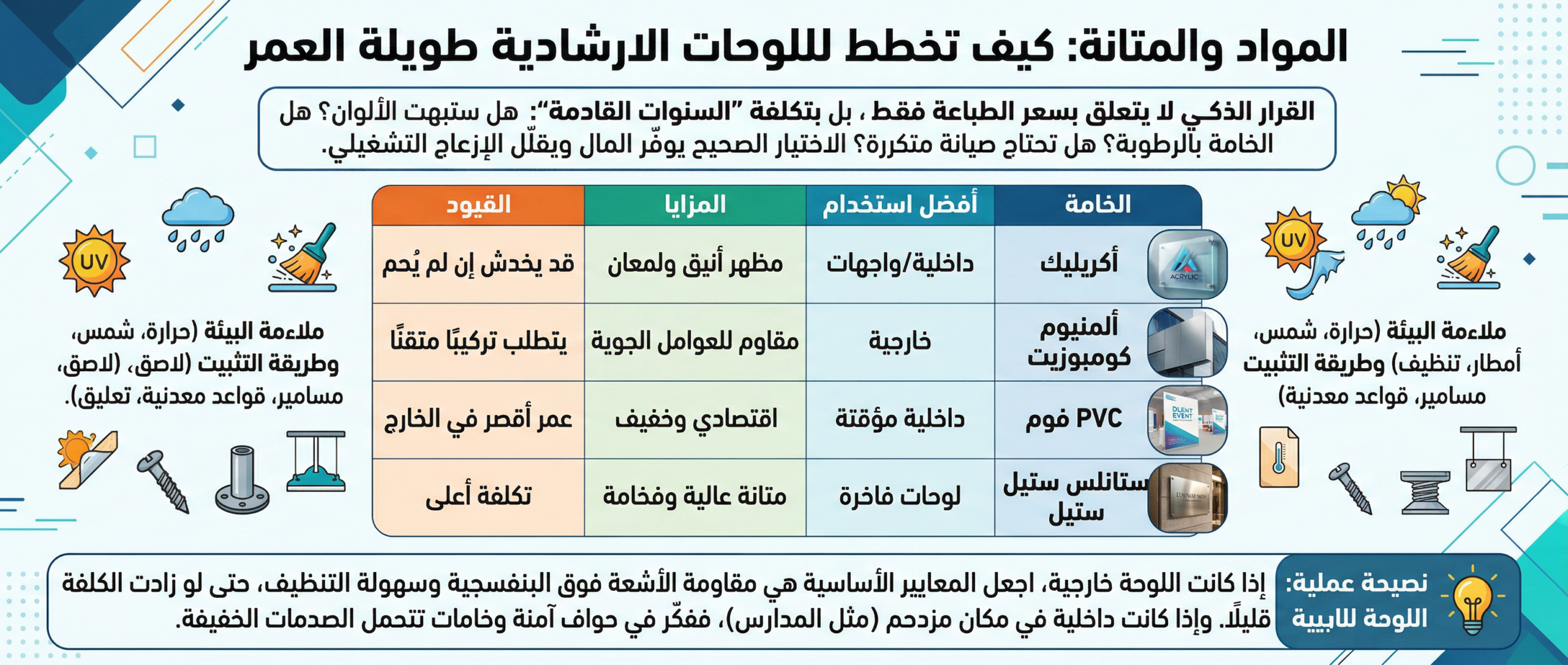
A smart decision isn’t about printing price alone—it’s about the cost of the coming years: Will colors fade? Does the material suffer from humidity? Will it require frequent maintenance? The right choice saves money and reduces operational disruption.
Materials and durability: how to plan long-lasting wayfinding signage
There are many materials—some suitable for indoor use, others for outdoor use. What matters is matching the environment: heat, sun, rain, frequent cleaning, or the likelihood of abrasion. Also consider the mounting method: adhesive, screws, metal stands, or ceiling suspension—each has different safety requirements and a different look.
Table 1: Comparison of wayfinding sign materials
| Material | Best use | Advantages | Limitations |
|---|---|---|---|
| Acrylic | Indoor / facades | Elegant look and gloss | May scratch if not protected |
| Aluminum composite | Outdoor | Weather resistant | Requires precise installation |
| PVC foam | Temporary indoor | Affordable and lightweight | Shorter life outdoors |
| Stainless steel | Premium signage | High durability and luxury feel | Higher cost |
Practical tip: For outdoor signs, prioritize UV resistance and easy cleaning—even if cost increases slightly. For indoor signs in crowded places (like schools), consider safe edges and materials that can handle light impacts.
4) Test the design in real conditions before final approval
One of the most expensive mistakes—in time and money—is approving a design based only on a computer screen. Real environments are different: lighting, reflections, visual clutter, and variable reading distance. Make testing a mandatory stage.
Test readability and contrast before printing wayfinding signs
Apply two simple tests:
- Print a small mockup and place it in the same location at a height close to the final installation height.
- Ask someone who didn’t work on the design to read it quickly while walking.
If the reader hesitates or needs to get too close, the issue is usually contrast, font size, or information density. Remember that
wayfinding signs
are designed to be read while moving, not during long stops.
Quick checklist before printing and installation
| Checkpoint | Practical question | Expected result |
|---|---|---|
| Clarity | Can it be understood in 3 seconds? | Yes/No |
| Contrast | Is the text clear under strong and low lighting? | Yes/No |
| Brevity | Can a word be removed without losing meaning? | Yes/No |
| Consistency | Do colors and fonts match the rest of the materials? | Yes/No |
| Placement | Is it visible at least two steps before the decision point? | Yes/No |
Quick success indicator: If you notice fewer repeated questions at reception or customer service after installation, that’s a practical sign the system is working.
5) Build a unified system for icons and language across all channels
The ideal experience is when visitors “learn” the system once and then use it easily everywhere. This happens through a simple style guide that defines icons, terminology, colors, and element sizes—then applies them across all signage and marketing materials.
To implement a unified system:
- Standardize terms: don’t write “Reception” in one place and “Service Desk” in another for the same meaning.
- Use standard icons that are culturally clear for Arabic audiences.
- Keep arrow directions consistent.
- Keep one voice/tone across messages: formal, friendly, or concise.
Terminology standardization table (inside the facility)
| Preferred term | Alternatives to avoid | Why it’s preferred |
|---|---|---|
| Reception | Service desk / Customer service | Reduces confusion and standardizes naming |
| Restrooms | Bathrooms / Toilets | More formal and widely understood |
| Emergency | First aid / Urgent cases | Clear and direct label |
| Exit | Way out / Exit | Language consistency improves speed |
When you build a signage system as a system—not separate pieces—repeated questions decrease and visitor satisfaction increases. Expansion to a new branch also becomes easier because you already have a ready-to-apply template.
How do you apply these tips when designing a product or service brochure?
If you offer a product or service tied to a place (a medical center, store, school, or service company), the brochure is a natural extension of the wayfinding experience. Here’s how to connect the process so customers feel consistency from the first moment:
- Start with the same goal: What do you want the reader to do after reading the brochure? (Visit, call, book, request a quote.)
- Use the same visual identity: The colors, fonts, and icons you adopted in the space—so everything feels “from the same family.”
- Organize information like a path: Make the brochure a short journey from “problem” to “solution” to “next step,” just like signs guide visitors step-by-step.
- Reduce text and increase structure: Short headings, bullet points, and whitespace that support fast reading—because most people skim before deciding to read deeply.
- Add verifiable trust signals: Numbers, certifications, years of experience, or brief outcomes—then provide a clear contact method that doesn’t require searching.
Professional brochure content template (table)
| Brochure section | Suggested content | Goal |
|---|---|---|
| Cover | Clear promise + product/service name | Grab attention quickly |
| Problem | Short description of the customer’s pain | Create relevance |
| Solution | How your product solves the problem | Explain value |
| Benefits | 3–5 strong points | Make comparison easier |
| Proof | Numbers / reviews / accreditations | Build trust |
| Call to action | Phone / WhatsApp / website / address | Convert reading into action |
Common mistakes to avoid
- Text stuffing: the more words, the less understanding.
- Over-decoration: heavy shadows and ornamentation reduce readability.
- Ignoring the environment: the same design doesn’t fit indoors and outdoors.
- Too many styles: changing colors and fonts from one sign to another confuses visitors.
- Skipping review: not testing before printing leads to rework.