 العربية


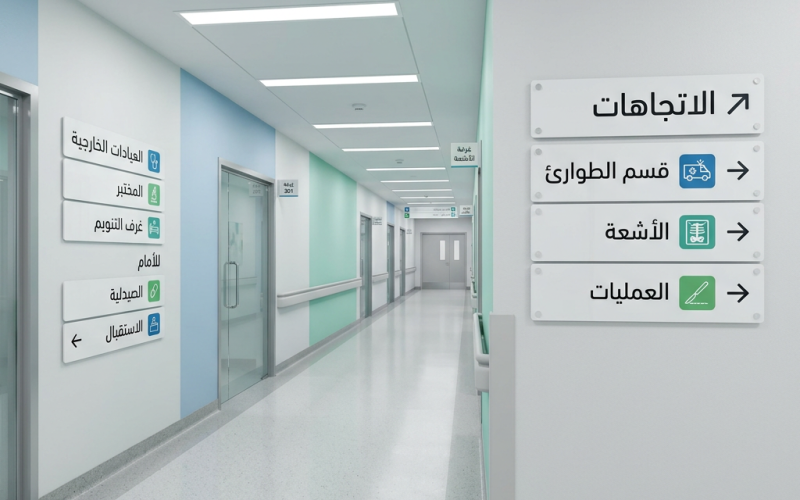
In educational and healthcare institutions, wayfinding is not just about hanging a sign on the wall. It is a complete experience that reassures visitors and helps them reach their destination quickly without stress or repeated questions. When attractive directional signs are designed professionally, they reduce congestion at information desks, give the place an organized and modern image, and show the institution’s respect for people’s time and needs. This article presents 11 practical ideas that can be applied in hospitals, schools, and universities, along with tables to help you choose materials and sizes, plus a dedicated section on designing a brochure for a product or service to support guidance and marketing messages in a consistent way.
Why do institutions need attractive directional signs?
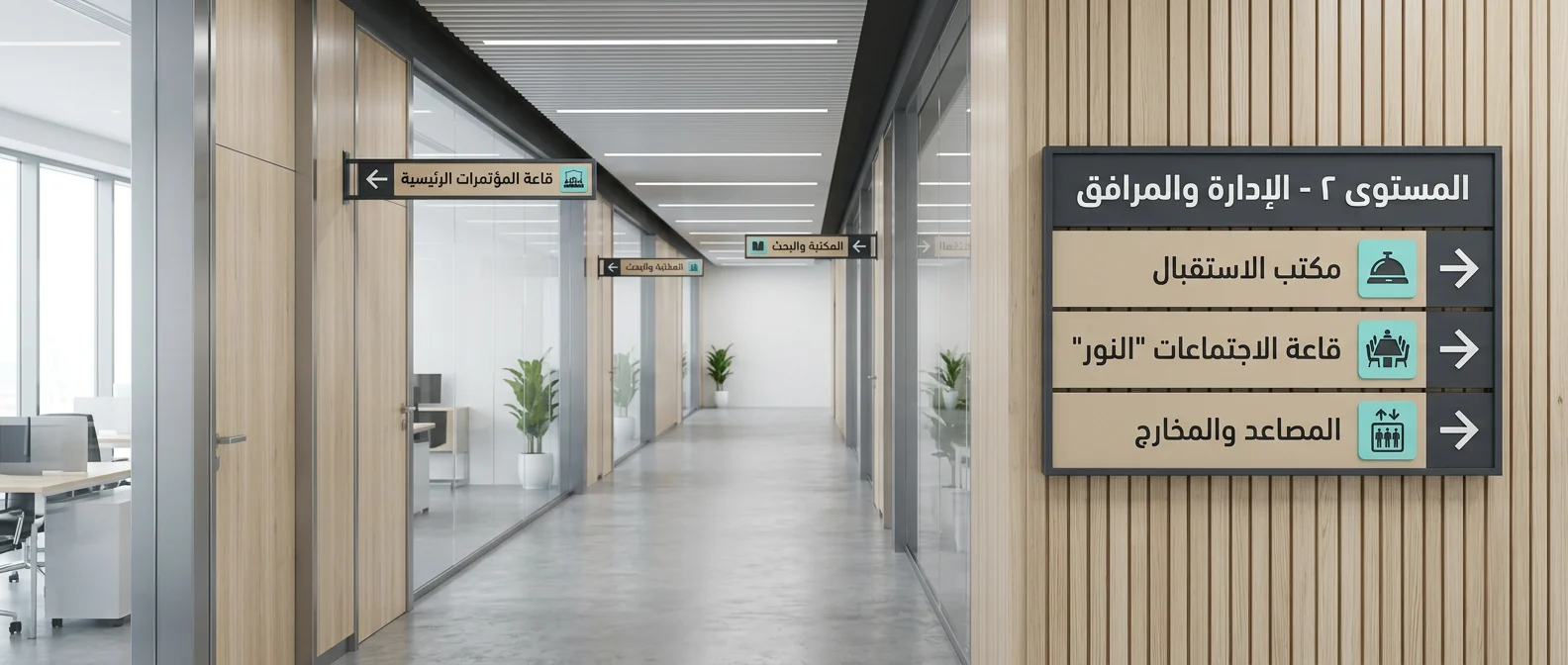
Because wayfinding is the “silent service” that works all day without an employee, and its value can be measured in three main points:
- Reducing confusion and stress: In hospitals especially, every minute has both psychological and practical impact.
- Improving operational efficiency: Reducing repeated questions eases the pressure on staff.
- Enhancing identity and trust: The first impression is shaped by organization, clear routes, and consistent design.
Before You Start: Essential Standards for a Successful Wayfinding System
- Define the audience precisely: First-time visitors? New students? Elderly patients or visitors?
- Map the user journey: From the gate → reception → departments/classrooms → facilities.
- Unify the language and tone: Clear formal Arabic, with English added when needed.
- Set sign hierarchy levels: General directional signs, confirmation signs at intersections, and identification signs for rooms.
- Test before full rollout: One prototype in a busy area can reveal many mistakes.
Comparison Table of Sign Materials and Their Uses
| Material | Best Use | Advantages | Practical Notes |
|---|---|---|---|
| Acrylic | Entrances, reception areas, identification signs | Modern look, clear colors | Needs proper installation to avoid scratches |
| Aluminum | Indoor/outdoor corridors | Durable, moisture-resistant | Excellent for hospitals and universities |
| PVC Foam | Low-risk indoor areas | Affordable and lightweight | Less resistant to impact |
| Stainless Steel | Main entrances and formal spaces | Very elegant and long-lasting | Higher cost and requires regular cleaning |
| Adhesive Vinyl (Sticker/Vinyl) | Glass, doors, directional flooring | Fast to install and update | Pay attention to slip resistance for floor applications |
11 Practical Ideas for Design and Implementation
Idea 1: Attractive directional signs begin with a “decision map,” not just a beautiful look
Before choosing colors, identify decision points: Where does the visitor stop to think? At the gate? At the elevator? At a hallway intersection? Place signs exactly at these points, because installing a great sign in a place no one looks at is simply a waste of budget.
Idea 2: Use a clear information hierarchy
Make the eye catch the most important information first:
- A clear direction and arrow
- The department/floor name
- Smaller extra details (rooms, numbers, hours)
Idea 3: Use functional colors linked to locations
At a university, for example: one color for colleges, one for student services, and one for libraries and labs.
In a hospital: one color for clinics, one for emergency, and one for radiology and lab testing.
The goal is not decoration, but reducing the time needed to understand directions.
Idea 4: Make arrows a “precise language,” not a decorative element
The wrong arrow causes more confusion than having no sign at all. Choose one unified arrow style and set the directions (right/left/up/down) according to the actual walking route, not just the architectural plan.
Idea 5: Invest in universal icons alongside text
Icons speed up understanding, especially for visitors who are unfamiliar with the place or those reading quickly. Examples include restrooms, elevator, reception, emergency, and laboratory.
Idea 6: Attractive directional signs should support accessibility
Make the design both practical and considerate:
- Strong contrast between text and background
- Suitable font size for viewing from a distance
- Add Braille or tactile elements when necessary, especially in critical facilities
- Avoid overcrowded text
Idea 7: Design a smart naming system for rooms and halls
In schools and universities, “Building A – Floor 2 – Room 205” is better than random names.
In hospitals, “Outpatient Clinics – Wing 3 – Room 12” makes guidance easier and prevents duplication.
Idea 8: Use floors and walls as guiding paths
Floor lines or light wall stickers can lead users step by step. This method is highly effective in large hospitals and in universities during registration season.
Idea 9: Make signs easy to update without “breaking the design”
Change is constant: departments move, rooms are renamed, and services change. Design signs so that part of them can be updated, such as a replaceable strip or a vinyl layer, instead of reprinting the whole sign.
Idea 10: Connect wayfinding to the visual identity without overdoing it
Use the institution’s colors and fonts, but be careful not to turn the sign into an advertisement. The golden rule is: function first, then identity. Identity supports trust, but clarity serves everyone.
Idea 11: Test signs as if you were a first-time visitor
Ask someone unfamiliar with the place to reach three different destinations using only the signs. Record where they stopped, where they got confused, and where they needed to ask. This simple test can save you from costly mistakes.
Quick Guide to Sign Sizes and Reading Distance
| Sign Location | Expected Reading Distance | Recommended Font Size (Approx.) | Note |
|---|---|---|---|
| Reception / Entrance | 2–5 m | Large and clear | Place it at an angle facing incoming traffic |
| Main Corridors | 5–10 m | Large to medium | Reduce text and use strong arrows |
| Intersections and Crossroads | 3–8 m | Medium | Keep it at eye level |
| Room / Office Doors | 0.5–2 m | Medium to small | Focus only on the name/number |
| Outdoor Signs | 10–30 m | Very large | Consider sunlight, reflections, and materials |
Checklist Before Printing and Installation
- Review spelling and consistency of terminology (for example, do not switch between “Reception” and “Information Desk” without reason).
- Make sure arrow directions match the real walking movement, not just the plan.
- Test contrast under both low and strong lighting.
- Ensure safe installation without obstructing movement or emergency exits.
- Apply a final review: attractive directional signs mean clarity first, then beauty that supports clarity.
Measuring Success: Simple KPIs That Prove Project Value
| Indicator | How to Measure It | Realistic Goal Within 30–60 Days |
|---|---|---|
| Number of repeated questions at reception | Daily/weekly log | 20–40% decrease |
| Time to reach specific destinations | Quick user test | Noticeable improvement (fewer minutes) |
| Visitor/student satisfaction | Short survey | Gradual increase |
| Direction errors (getting lost) | Field observation | Clear decrease |
How does designing a brochure for a product or service support the institution’s wayfinding system?
In many cases, the institution needs a small printed piece that complements the signs: introducing a new service, explaining procedures, or guiding visitors through the steps of visiting a certain department. When the design of a brochure for a product or service is consistent with the visual identity and wayfinding system, the user experience becomes smoother. The visitor reads in the brochure the same terms, colors, and cues they see on the signs, so they understand quickly without contradiction.
Practical Steps for a Professional Brochure (Without Excessive Marketing)
- One clear message: What problem does the product or service solve?
- A 3-part structure: Quick introduction → benefits/features → steps/contact method.
- Simple Arabic language: Short sentences, clear bullet points, no filler.
- Visual consistency with the place: The same colors, the same icon style, and an appropriate formal tone.
- A call to action: A number, email, reception window, or a specific service desk.
Brochure Elements and Their Match in the Wayfinding Experience
| Brochure Element | Purpose | What Ensures Consistency? |
|---|---|---|
| Service title | Grab attention quickly | Use the same terminology as the building signs |
| Benefit points | Simplify decision-making | Keep them concise and use understandable words |
| Access/action steps | Reduce questions | Match department and floor names exactly |
| Contact details | Turn interest into action | Clear information with regular updates |
To make the full system successful, ensure the brochure content follows the same logic as attractive directional signs: brevity, clarity, and ease of use.
Conclusion: Steps to Implement Attractive Directional Signs Within 14 Days
Start with a field walkthrough and map the user journey, then create a “sign hierarchy” plan, choose materials that suit the environment, and print one prototype for testing before full rollout. After installation, measure results using simple indicators and adjust wording or placement if needed. If you want a fast and professional result, make your next project attractive directional signs that improve people’s experience and reflect the strength of your institution’s organization.