 العربية


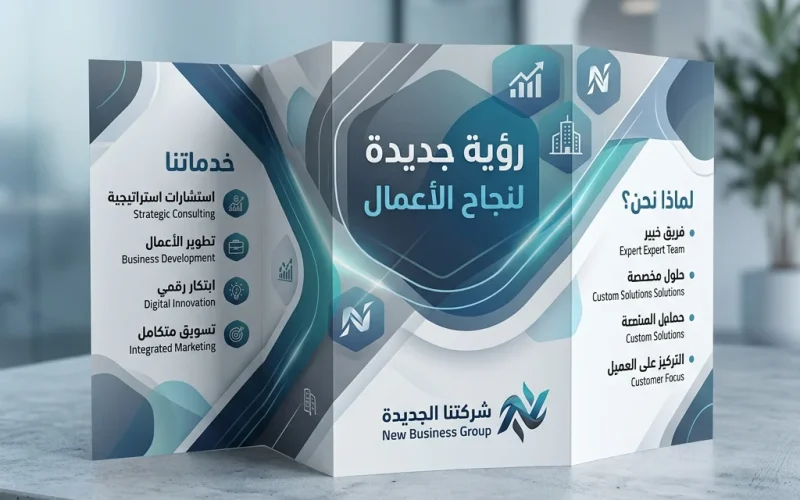
The brochure is not just a pretty sheet of paper; it is a fast marketing tool that convinces the reader within seconds. When you follow the basic rules of designing a clear and persuasive brochure, you increase the chances that the customer will immediately understand your idea, trust your brand, and take a real step toward purchasing or contacting you. In this article, you will learn a practical method for designing a brochure for a product or service professionally, along with organizational examples and tables that help you make the right decisions before printing or digital publishing.
Why do you need the basic rules for designing a brochure that sells?

The reason is simple: because the brochure competes with dozens of advertising messages every day. The reader usually does not “read”; they scan with their eyes. Therefore, the design must be built on: a clear visual hierarchy, a strong headline, a direct benefit, and focused content that answers the customer’s question: Why this specific product/service?
When you get these elements right, the brochure turns into a “silent salesperson” that works in your favor at exhibitions, stores, offices, or even through WhatsApp and email.
A quick table to help you before you start
The following table shows how early decisions affect the final result. It is a practical summary for applying the basic rules of design in an organized way.
| Decision | Common Option | When to Choose It? | Its Impact on the Brochure |
|---|---|---|---|
| Goal | Sell / Introduce / Event Invitation | According to the customer stage | Determines the writing style and the call to action |
| Fold Type | Bi-Fold / Tri-Fold | According to the amount of content | Determines reading space and message order |
| Writing Style | Concise / Storytelling | According to the nature of the audience | Determines the level of detail and persuasion |
| Distribution Channel | Printed / Digital | According to where it will be read | Determines sizes, resolution, and margins |

Before designing: 4 questions that determine the brochure’s success
- Who is the audience? (Individuals, companies, students, mothers, luxury clients…)
- What problem does the product/service solve? Write it in one clear sentence.
- What is the strongest offer or advantage? (Price, quality, warranty, speed, results…)
- What action is required? (Call, visit a store, book, free trial, request a quotation)
The more precise your answers are, the less filler you will have, and the stronger your message will become.
10 basic rules for designing a brochure that grabs attention (practical application)

1) Basic rules of design begin with a “benefit” headline, not a description
Instead of: “XYZ Services Company”
Write: “A fast solution to reduce your costs within 30 days” or “A cleaning service that restores shine within two hours.”
The headline should touch a direct need, then the brand name comes as a reinforcement of trust.
2) Make the visual hierarchy guide the eye automatically
Arrange the elements from most important to least important:
Headline → Main Benefit → Short Bullet Points → Trust Proof → Call to Contact.
Use a larger font size for headlines, comfortable spacing between sections, and do not make everything shout at the same time.
3) Write concise text that is still rich in meaning
A brochure is not a long article; it is a “smart compression” of information.
Turn paragraphs into bullet points when needed, and remove any sentence that adds no benefit or trust.
Golden rule: if you delete it and the buying decision is unaffected, then it is unnecessary.
4) Basic rules of design mean unifying the visual identity precisely
Choose 2–3 consistent colors (aligned with the logo), and no more than two fonts (headline/body).
Consistency creates a recognizable “face” for the brand and prevents the brochure from looking random.
If you have a brand identity guide, follow it. If not, start with a disciplined brochure so it becomes the nucleus of your identity.
5) Rely on “white space” to increase elegance and clarity
Leaving thoughtful space around texts and headlines makes reading easier and gives a sense of professionalism.
White space is not emptiness… it is organization. It is one of the biggest reasons premium brochures feel comfortable to the eye.
6) Replace exaggeration with numbers and facts
Instead of: “The best quality in the market”
Write: “12-month warranty,” “Delivery within 24 hours,” or “500+ clients in one year.”
Facts persuade quickly and reduce resistance caused by doubt.
7) Basic rules of design require a clear call to action (CTA)
Do not leave the reader confused. Choose one main CTA and repeat it intelligently:
- “Book a free consultation”
- “Request a quote now”
- “Try the service for 7 days”
Place it in a prominent spot, with an easy contact method (phone / WhatsApp / website / address).
8) Place “trust signals” in the right spot
Trust signals include: short customer testimonials, certifications, years of experience, partners, and return policy.
A common mistake is burying them at the end of the brochure in a small size. It is better to place them near the main offer or immediately after it to strengthen the decision.
9) Make the content suitable for the fold style and reading flow
Folds are not just a shape; they are a “reading scenario.”
Think: what is the first part that will appear? And what message should be delivered before the brochure is fully opened?
Distribute the messages according to the reader’s journey: Attract → Explain → Prove → Invite.
10) Review the brochure as if you were a “busy customer”
Read it quickly in 10 seconds: did you understand the idea? Did the offer appear? Did you know how to contact them?
Then review it in one minute: are the details sufficient without distraction?
Finally, print a trial copy (even in black and white) to discover spacing errors, text crowding, and small font sizes.
Practical tables to help you make design and printing decisions
1) Fold types and how to choose the best one
| Fold Type | Suitable For | Advantages | Important Notes |
|---|---|---|---|
| Bi-Fold | Simple services / one offer | Large, clear space | Excellent for short offers |
| Tri-Fold | Multiple services / comprehensive introduction | Logical message division | Requires precise content arrangement |
| Gate Fold | Luxury products / product launch | Attractive opening experience | Usually costs more |
| Multi-page booklet | A lot of information / technical details | Highly organized content | More suitable for B2B companies |
2) Common brochure sizes and their uses
| Size | Best Use | Marketing Advantage | Note |
|---|---|---|---|
| A4 | Detailed offers / service lists | Excellent explanation space | Needs an organized design to avoid crowding |
| A5 | Quick distribution / brief introduction | Easy to carry and read | Focus on one main idea |
| DL (one-third of A4) | Tri-fold brochure | Common in exhibitions and banks | Do not use very small text |
| Square | Modern products / luxury designs | Visually striking | May increase printing cost |
3) Content distribution inside a service brochure (practical suggestion)
| Section | Goal | Suggested Share of Space |
|---|---|---|
| Headline + Benefit | Grab attention quickly | 20% |
| Short explanation of the service | Clarify the problem and solution | 25% |
| Benefits / Results in bullet points | Fast persuasion | 20% |
| Trust signals | Reduce hesitation | 15% |
| CTA and contact methods | Convert the reader into a potential customer | 20% |
Common mistakes that reduce brochure impact (and are easy to avoid)
- Too many fonts and colors: they make the design look amateur.
- Long text without division: it kills quick reading.
- No clear CTA: it means losing potential customers.
- Contact information is not prominent: the customer wants the shortest path.
- Random section order: it confuses the reader’s journey.
Final checklist before printing or sending digitally
Use this checklist as a final quality step, and consider it a direct application of the basic rules of design in an actionable way:
- Does the headline explain the benefit within 5 seconds?
- Is there one clear CTA repeated intelligently?
- Is the contact information clear and easy to copy/read?
- Are the spaces comfortable and the reading easy?
- Are there trust signals (numbers / warranty / testimonials / experience)?
- Is the content distributed according to the fold without disrupting the reading order?
- Has filler and generic wording been removed?
- Is there consistency in colors and fonts?
Conclusion
Designing a successful brochure is neither luck nor mere taste; it is the result of organizing a clear message inside a comfortable and persuasive visual format. When you follow basic rules of design from the beginning—starting with defining the goal and audience, all the way to the CTA and trust signals—you will get a brochure that reflects your brand’s professionalism and increases response in a measurable way.